Innovative Open source WEB technologies for everyone

Magento Nginx – Image thumbnails do not appear in the media manager

Magento Nginx – Image thumbnails do not appear in the media manager

Symptoms

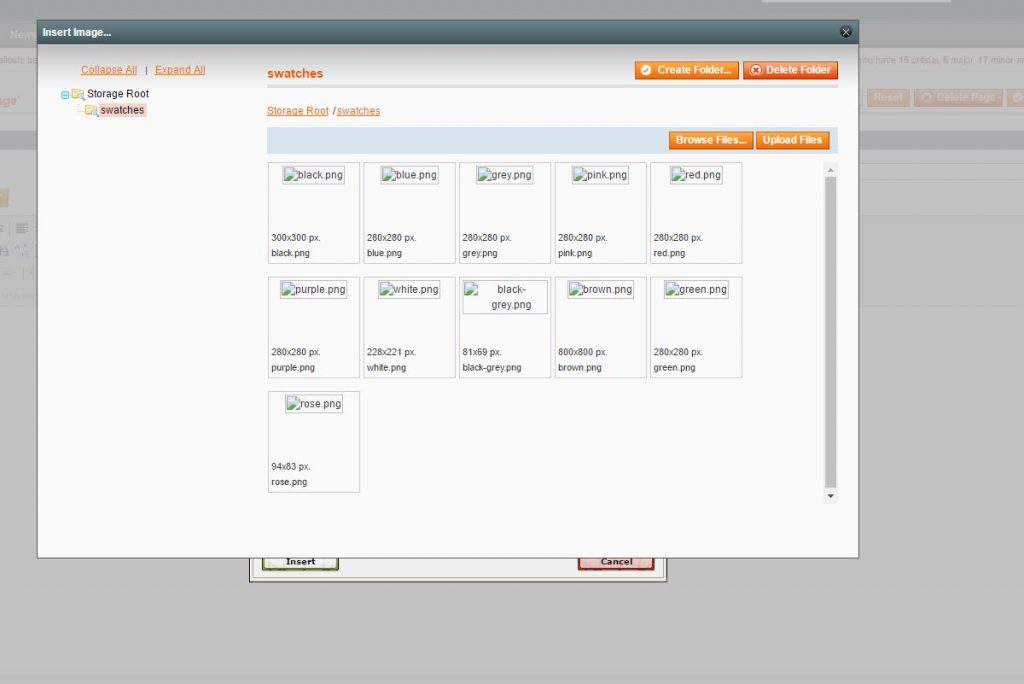
In certain server configurations, Magento cannot display image thumbnails in the Media Manager:

Cause

This was also caused by a bug in Magento. However, if you are using the latest Magento versions, it should be fixed and everything should display correctly. In some cases though, your server configuration prevents the images from being loaded.

As you can see in the following image, in such cases the requests return a 403 Forbidden response.

Analysis

Thumbnails in Magento are generated in the folder
/media/wysiwyg/.thumbs
As you can observe, there is a dot before the directory name, and some server configurations do not allow access to files or folders whose names are prefixed with a dot.
location ~ /. {
deny all;
}
This will result in anything prefixed with a dot triggering a forbidden access exception.
As a solution, you can override this rule by using a location directive with higher priority than a regex match, for example:
location ^~ /media/wysiwyg/.thumbs/ {
allow all;
}
Close Popup

We use cookies to give you the best online experience. By agreeing you accept the use of cookies in accordance with our cookie policy.

Close Popup
Privacy Settings saved!
Privacy Settings

When you visit any web site, it may store or retrieve information on your browser, mostly in the form of cookies. Control your personal Cookie Services here.

This cookies are necessary for the operation of the website and cannot be disabled

Wordpress
These cookies are essential for the operation of the website and cannot be deactivated

Decline all Services
Save
Accept all Services
Open Privacy settings
×